Organize orders, avoid losses and know how much you sold at the end of the day.
BnkFood helps canteens, snack bars, food trucks and small restaurants cut mistakes, keep stock under control and serve faster. All on your local network, with no internet dependency and no complicated system.
When it gets busy, disorganization costs you dearly
It's 8:15 p.m. The line keeps growing. One customer asks if the special is still available. Another waits for an order no one can find. In the kitchen, two meals go out with the same number. And at the end of the night, someone still has to check scraps of paper, add it all up and try to remember who ran a tab.
The problem isn't a lack of effort. It's trying to run a busy business on paper, memory and improvisation.
BnkFood puts every order in its place.
Enter it once: the kitchen gets it, the item is labeled, stock goes down, delivery is confirmed, and the end-of-day close stops being guesswork.
Do you recognize these problems?
Canteens, snack bars and small restaurants lose time, food and money to the disorganization between the counter and the kitchen. BnkFood solves each one of these.
Orders shouted and on paper
Tickets written by hand and shouted to the kitchen. Whatever gets lost on the way turns into rework, waste and annoyed customers.
The same order goes out twice
When no one knows whether a meal already went out, your margin leaks away in small bits of waste that repeat all day.
Sold something already out
Without live stock, the counter promises what the kitchen no longer has. The result: swaps, rework and a frustrated customer.
An order forgotten in the rush
A lost slip or a misheard message turns a sale into a complaint.
A line at the counter and customers who leave
Slow service at peak time is a sale walking out the door exactly when it paid the most.
Store credit jotted in a notebook
The customer eats now and pays later. In a notebook, small amounts get forgotten and turn into a loss at month's end.
How BnkFood works
Three pieces talking on your local network: the tablet takes the order, the hub drives it and prints, the kitchen executes, and at the end the close comes out ready.
1. Order taking on the tablet
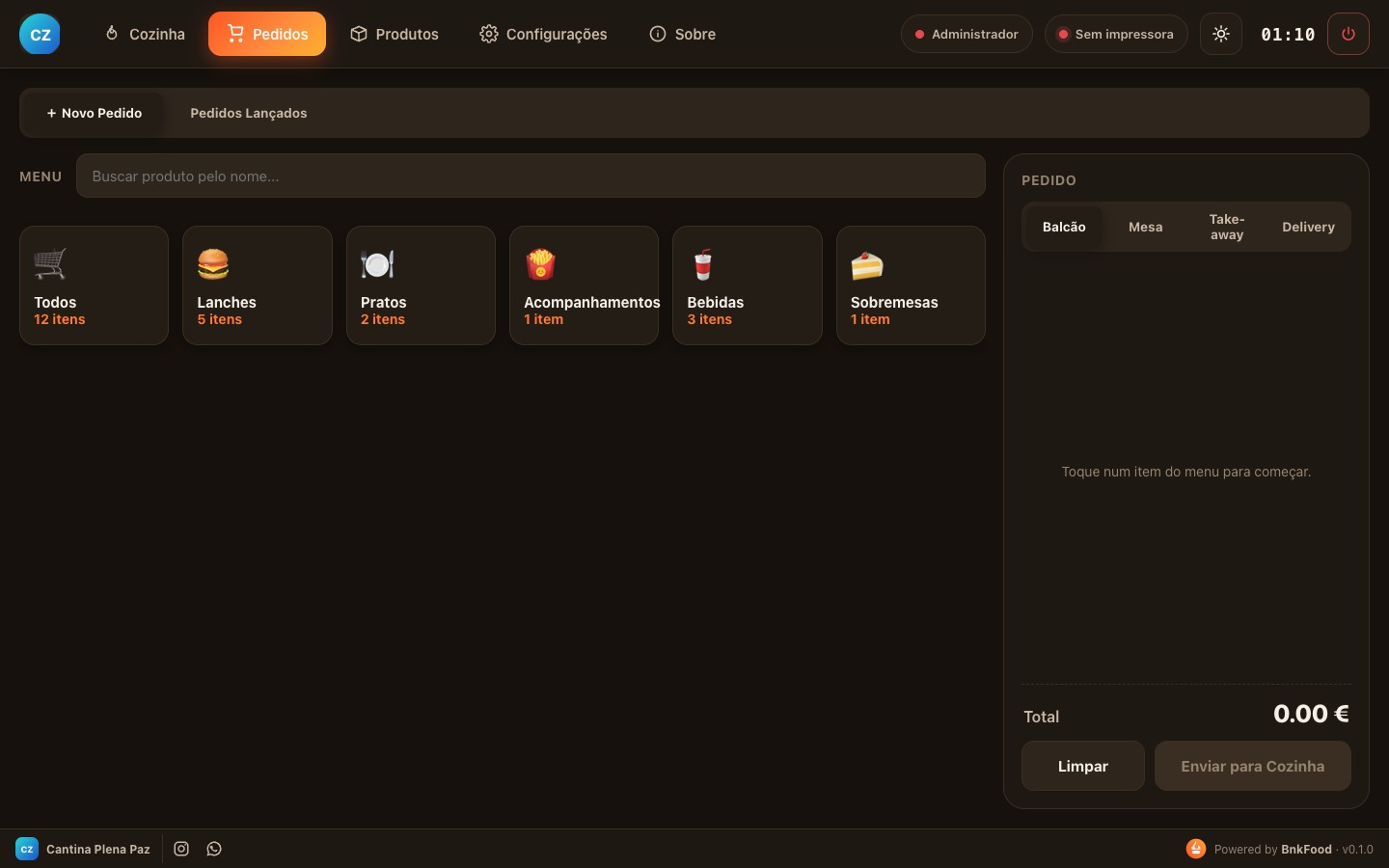
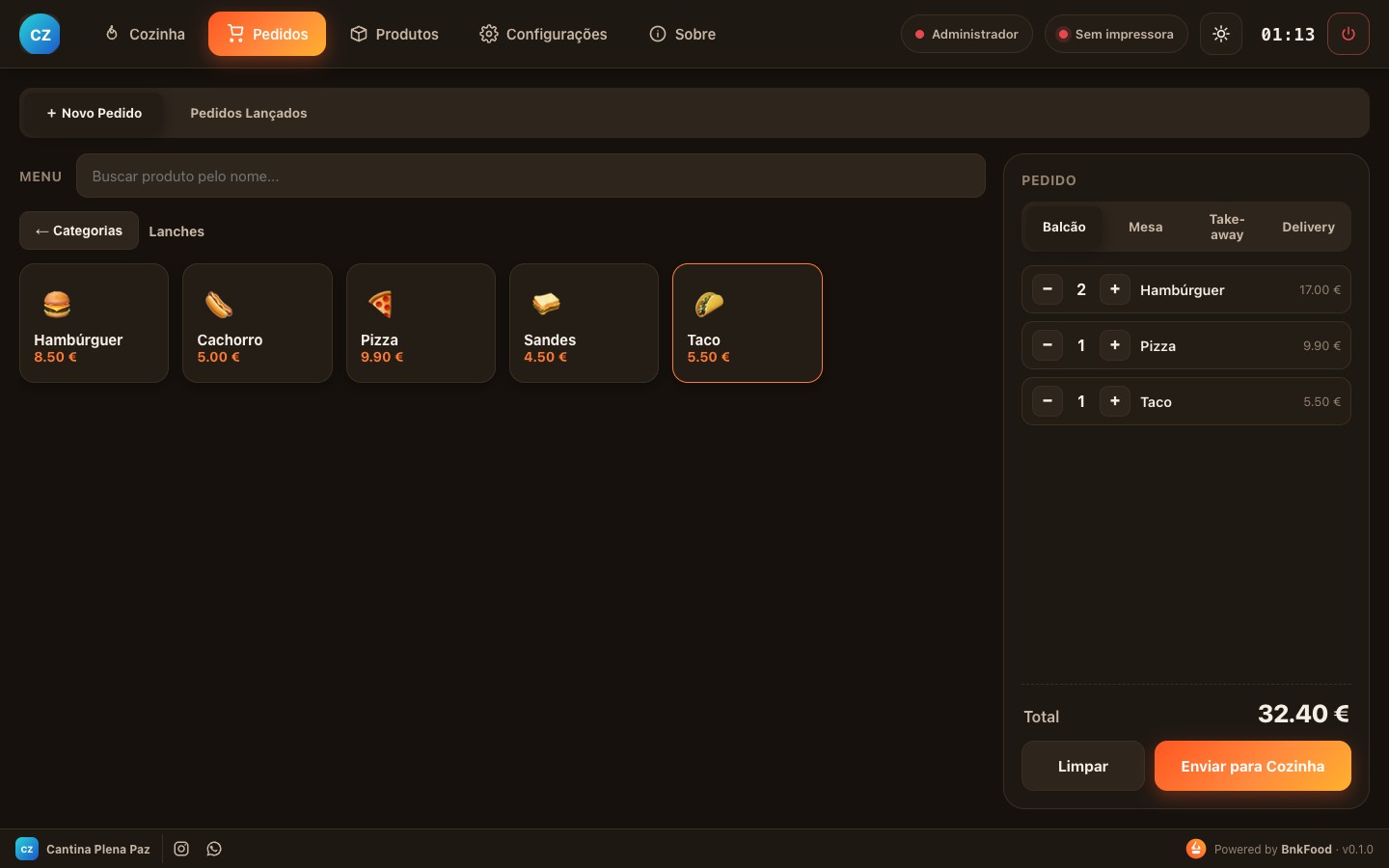
Staff build the order by category, pick the channel (counter, table, takeaway or delivery), add notes and send it in seconds.
Android app2. The hub receives and prints
The till computer stores everything (offline), draws down stock, and prints the kitchen ticket and the customer label automatically.
Windows / macOS3. Kitchen in Kanban
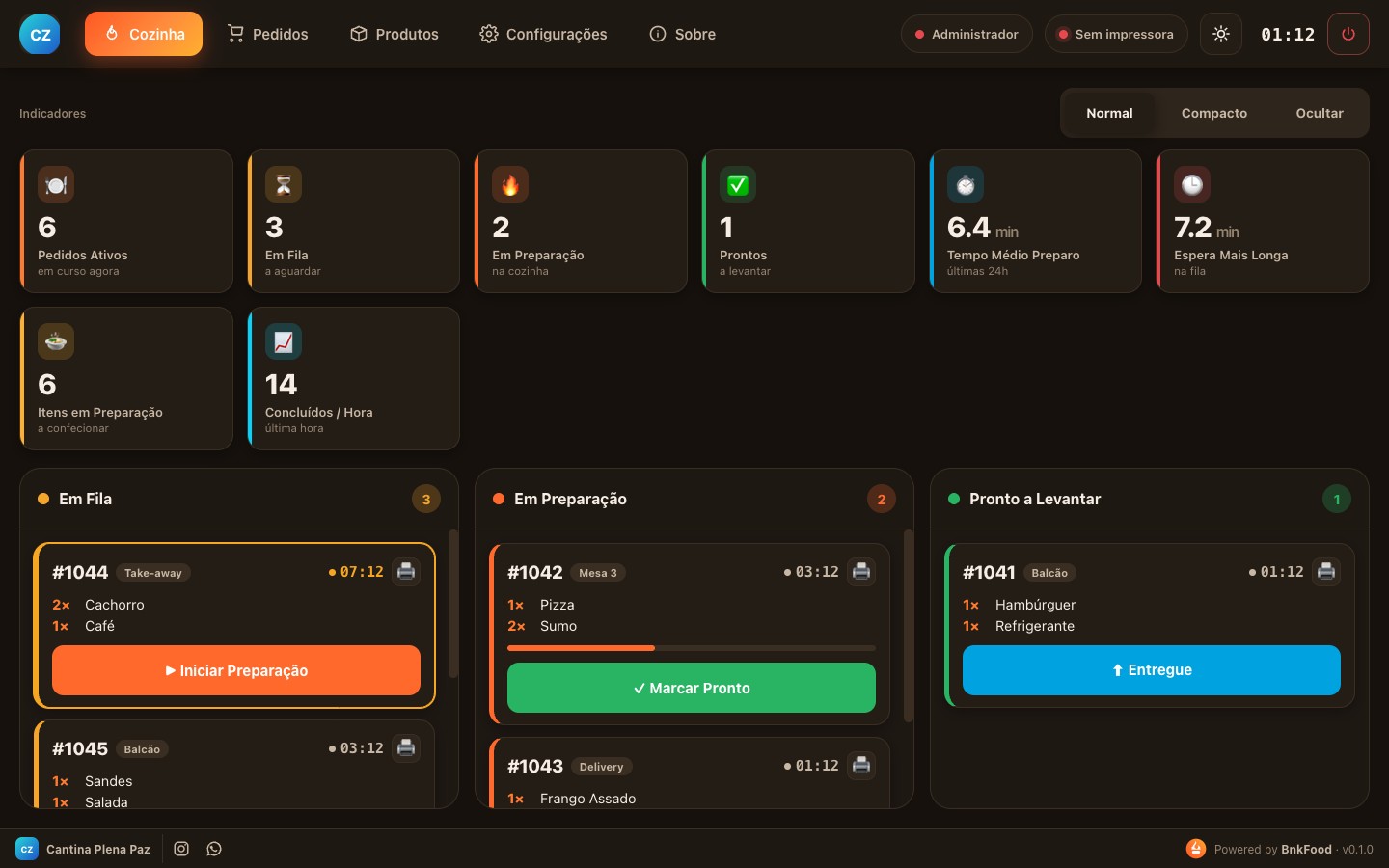
A big screen shows orders queued → preparing → ready, with each one's timer and a color delay alert, until delivery is confirmed.
Kitchen DisplayFeatures
Built for the real operation of people who cook and serve at the same time, without dozens of modules you'll never use.
Kitchen Display (KDS)
FIFO Kanban board: queued → preparing → ready. A live timer on each order, color urgency and reprint in one tap.
Orders by category
Organized menu, quick search and ticket. Service channels: counter, table, takeaway and delivery.
End-of-day close
Sales summary, best-selling items, cancellations, payment methods and open balances, ready to export.
Labels and order tickets
Always a kitchen ticket + a customer ticket/label, with your brand on top. Thermal ESC/POS at 58mm or 80mm, with correct accents.
Operation metrics
Average prep time, longest wait, items and completed per hour, so you spot the bottleneck on the spot.
Roles and code login
Admin, server, kitchen and view-only. Each sees only what they need, with numeric-code login, ideal for a team that changes often.
Cross-platform on the local network
Hub on Windows or Mac, Android tablets serving the floor, all over Wi-Fi, with no mandatory cloud.
Automatic backup
Versioned, compressed backups of your menu and history, portable across machines.
Your brand (white-label)
Your venue's logo, name, address and socials in the app and printed on the customer ticket.
Every order becomes a label and kitchen ticket instantly
The moment the order is sent, the hub prints, with no one having to run to the till. It's the operational ticket for the order, for checking and pickup, not a tax document.
- Automatic kitchen ticket: what to prepare, in what order, with order number and channel.
- Customer label / ticket: identifies the meal, prevents mix-ups at handoff and organizes pickup.
- Automatic printer detection: plug-and-play with common USB thermal printers.
- 58mm or 80mm roll: correct accents and your brand on top.
Less stock loss, more money collected
Beyond organizing the kitchen, BnkFood looks after where a small business loses the most money without noticing: selling what you don't have and store credit no one collects.
Never sell what's already out
Stock goes down on its own with every order. When an item runs out, it shows as sold out and staff stop promising what the kitchen doesn't have.
- Automatic decrease on each sale
- Low-stock alert
- “Sold out” button in one tap
- Report of top sellers
Know who ate and how much is still owed
Every credit charge is tied to the customer. Partial payments come in, the balance stays visible and the statement comes out by period. Notebook money turns into money actually collected.
- Running account per customer
- Charges and partial payments
- Balance and overdue amounts at a glance
- Exportable monthly statement
How much does disorganization cost per month?
Picture a canteen that runs 4 events a month and serves about 150 orders at each one, with an average ticket of $10. If organization prevents just the most common slip-ups per event, that's fifteen orders saved each time.
Illustrative example. Actual results depend on each business's operation. BnkFood organizes the operation and does not replace the tax invoicing that applies to your venue.
Estimate my business's losses- 4 duplicate deliveries avoided4 × $10$40
- 5 charges that were slipping away5 × $10$50
- 6 sales recovered through speed6 × $10$60
How much does disorganization really cost?
Pick your type of operation, adjust the numbers and see the estimate instantly. The busier you are, the more each small recurring mistake weighs.
- Waste and remakes3 order(s) × $12 × 26 days$936
- Recoverable store credit$400 × 4% that slips by unrecorded$16
- Time on closing8 h × $15/h$120
Illustrative estimate based on the information provided. Actual results depend on each business's operation. Assumptions: 4% of store credit slips by unrecorded · $15/h on closing.
Who it's built for
Anyone with a kitchen and a counter who needs control without complications or a heavy monthly fee.
Church canteens and events
Bazaars, fairs and festivals with a lot of movement in little time and a volunteer team that changes every week.
- Volunteers learn in minutes
- No monthly fee weighing on the till
- Works with no internet on the floor
- Event close on the spot
Snack bars, kiosks and food trucks
Small food spots that need kitchen control, stock and speed at the counter.
- Orders to the kitchen with no shouting or paper
- Stock and sold-out in real time
- A label on every meal, zero mix-ups
- Serve more people with the same team
Restaurants and businesses with tabs
Places with a kitchen and regulars who pay at the end of the week or month.
- Table service with a tablet
- Kitchen in order of arrival
- Running accounts for regulars
- Metrics on your best sellers
Advantages that fit your budget
Works offline
Runs on your local network. Internet down? The operation keeps going.
No mandatory monthly fee
Not held hostage by a cloud subscription. An investment that fits a canteen.
Built to protect your margin
Less waste, less forgotten store credit and a clear close. The focus is your cash.
Your data is yours
Everything stored on your machine, with versioned backups. Total privacy.
Frequently asked questions
No. BnkFood works on your local network (Wi-Fi). The hub and the tablets talk to each other without depending on the internet. Ideal for events, churches and places with an unstable signal.
Ready to stop losing money to disorganization?
See in a few minutes how BnkFood organizes orders, keeps stock under control, tracks store credit and closes the day clearly, with no heavy monthly fee and no internet dependency.
Fast reply during business hours · +55 62 3190-0122 · BNK Tecnologia